sourceback

Don't take our word for it. Open the files.

Seven invented documents, run through the same tools you'd use. Download the source and the output, and open them in your own copy of the app. Generated 2026-11-09.

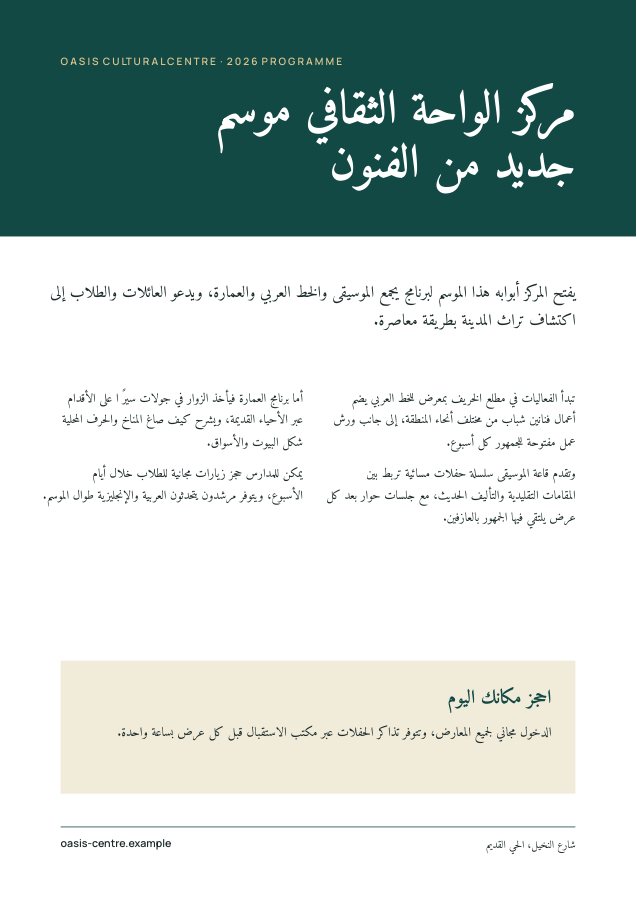
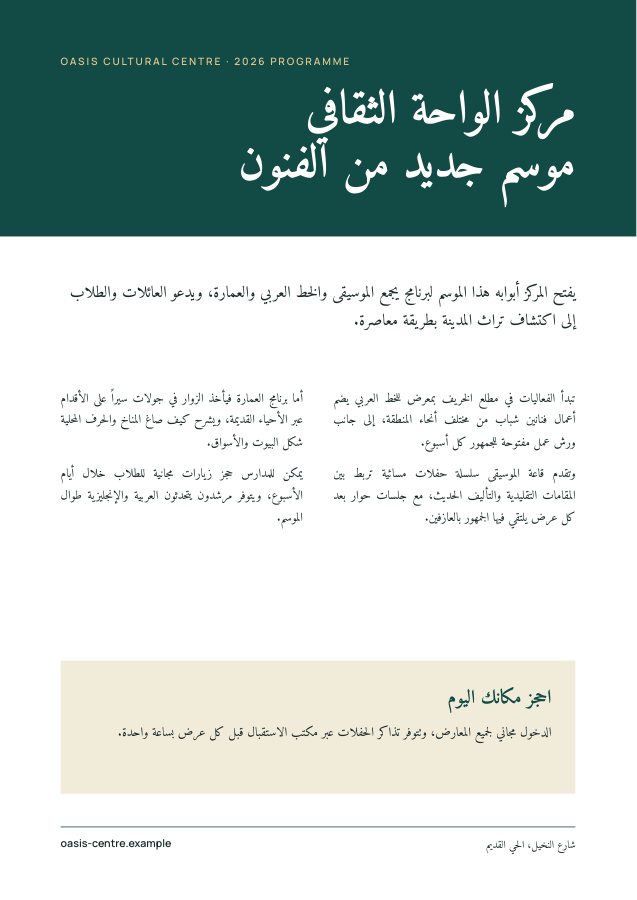
Arabic brochure to InDesign

Right-to-left text, two languages, justified columns.

Arabic brochure to InDesign: the source
Source
Arabic brochure to InDesign: the output
Output, as rendered by InDesign 2026
Match to the source: 98.7 / 100 · 0 overset stories in InDesign · Would cost $3.00
Download the sourceDownload the output (0.58 MB)

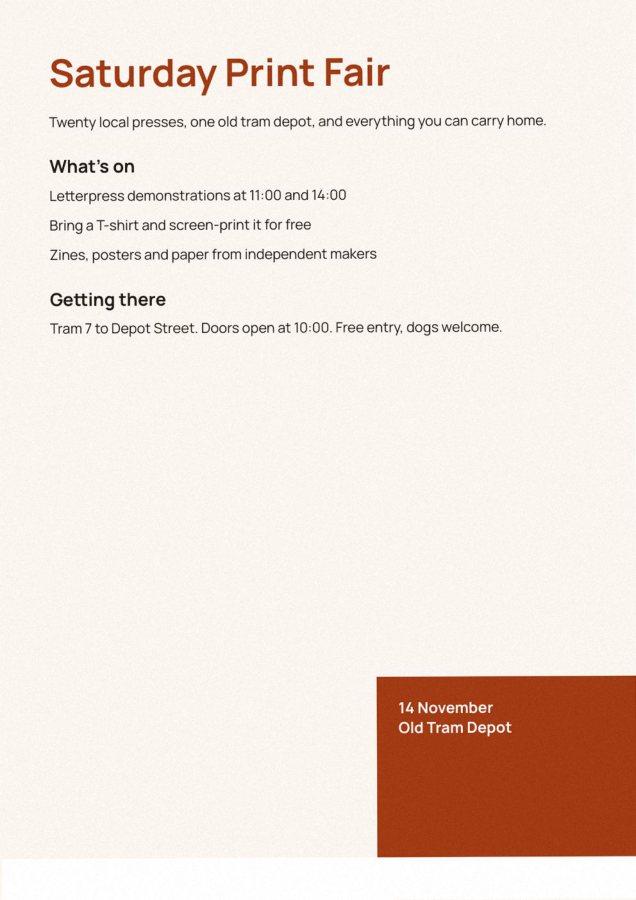
Scanned flyer to InDesign

A flat picture of a page. The words are read with OCR and set as live text over the cleaned image.

Scanned flyer to InDesign: the source
Source
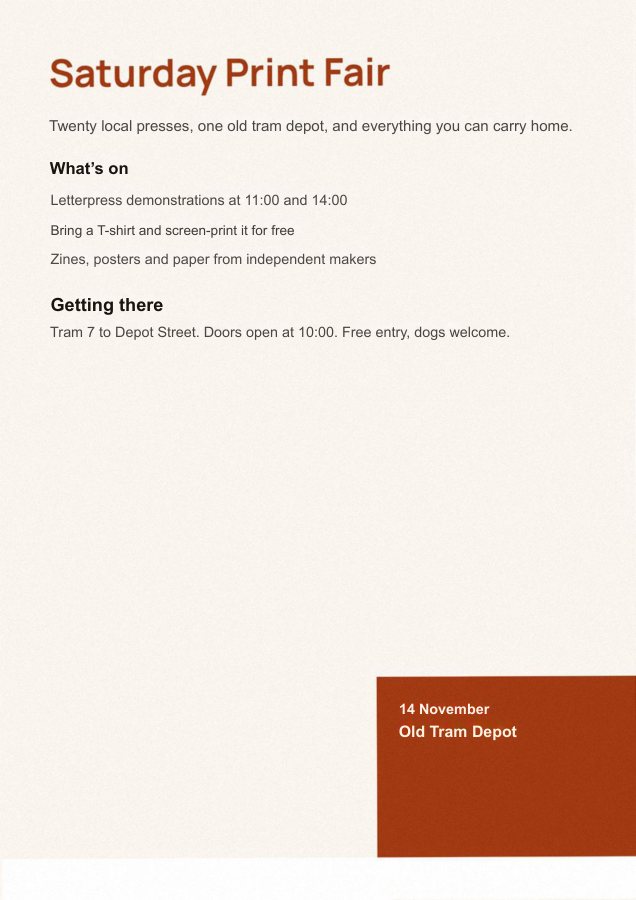
Scanned flyer to InDesign: the output
Output, as rendered by InDesign 2026
Match to the source: 75.6 / 100 · 0 overset stories in InDesign · words read with OCR, check them · Would cost $3.00
Download the sourceDownload the output (0.73 MB)

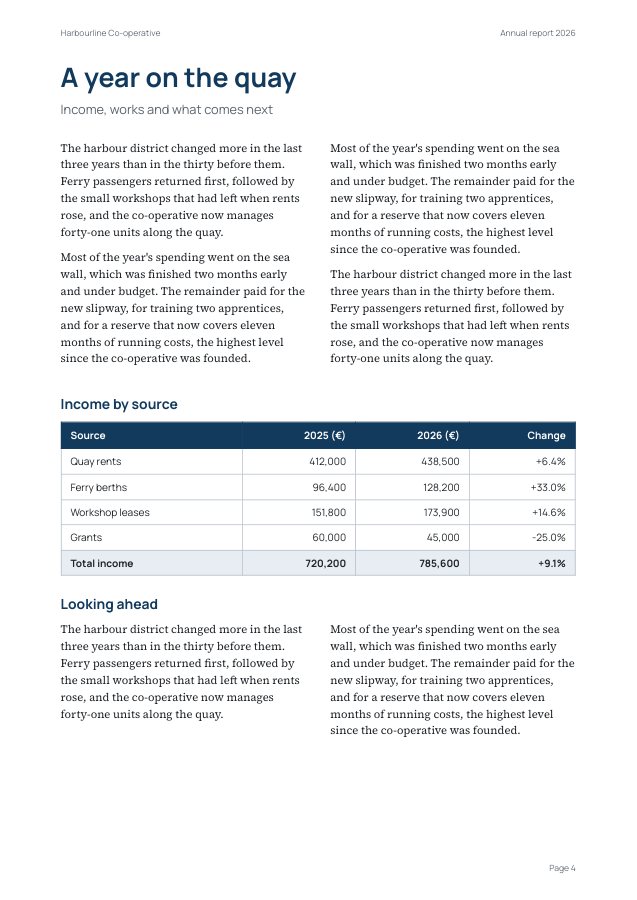
Report to Word

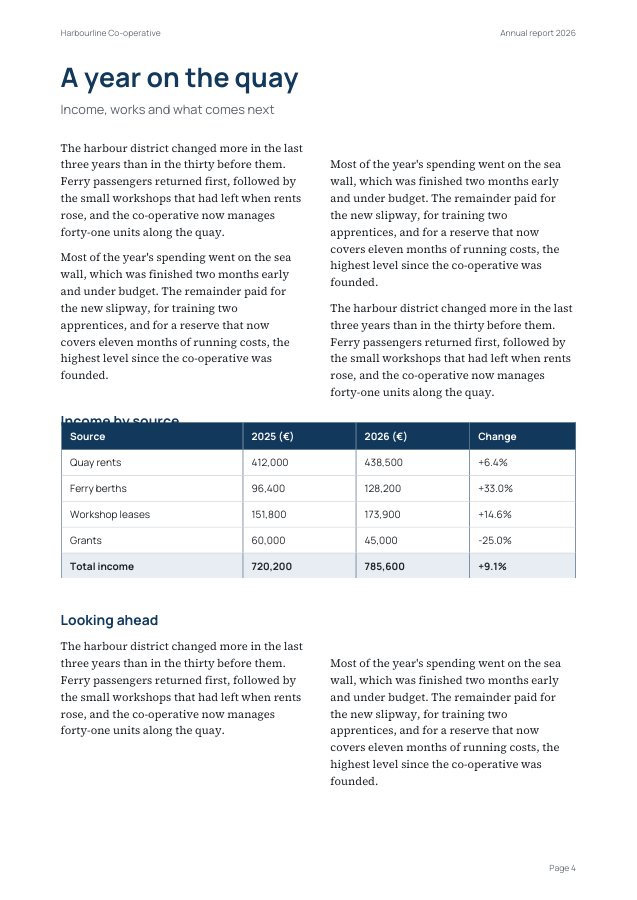
Two columns and a ruled table. Real Word columns and a real Word table.

Report to Word: the source
Source
Report to Word: the output
Output, as rendered by Word
Match to the source: 88.6 / 100 · Would cost $3.00
Download the sourceDownload the output (0.66 MB)

Pricing table to InDesign

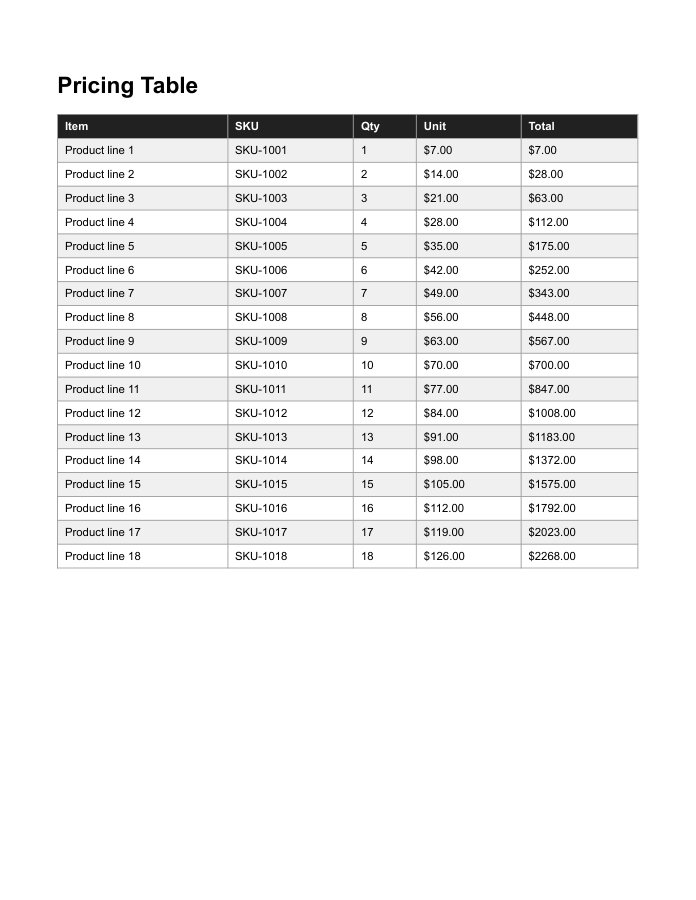
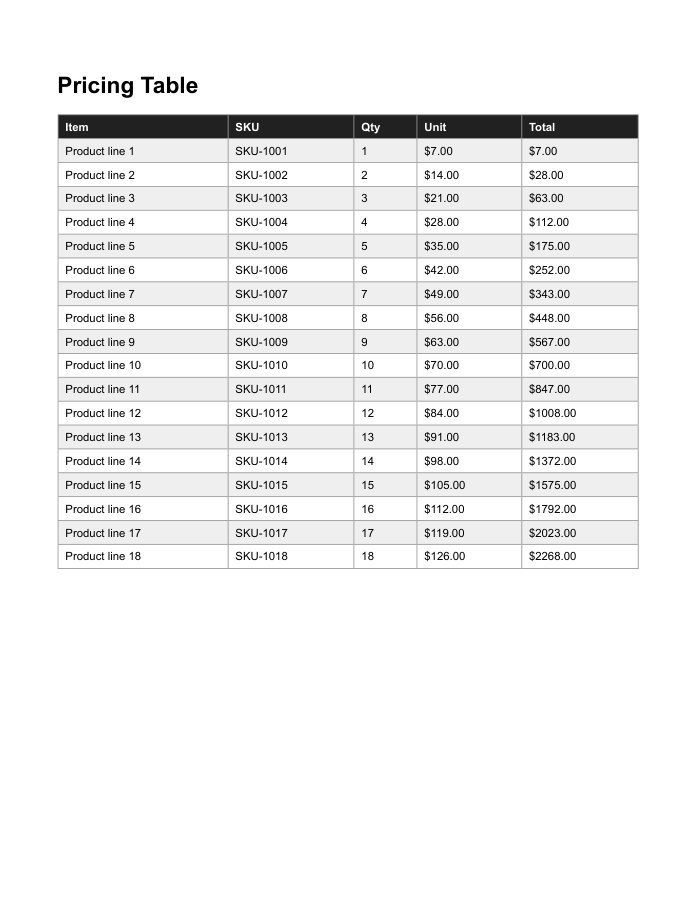
A ruled table with a dark header row. One InDesign table, not a frame per cell.

Pricing table to InDesign: the source
Source
Pricing table to InDesign: the output
Output, as rendered by InDesign 2026
Match to the source: 98.7 / 100 · 0 overset stories in InDesign · Would cost $3.00
Download the sourceDownload the output (0.15 MB)

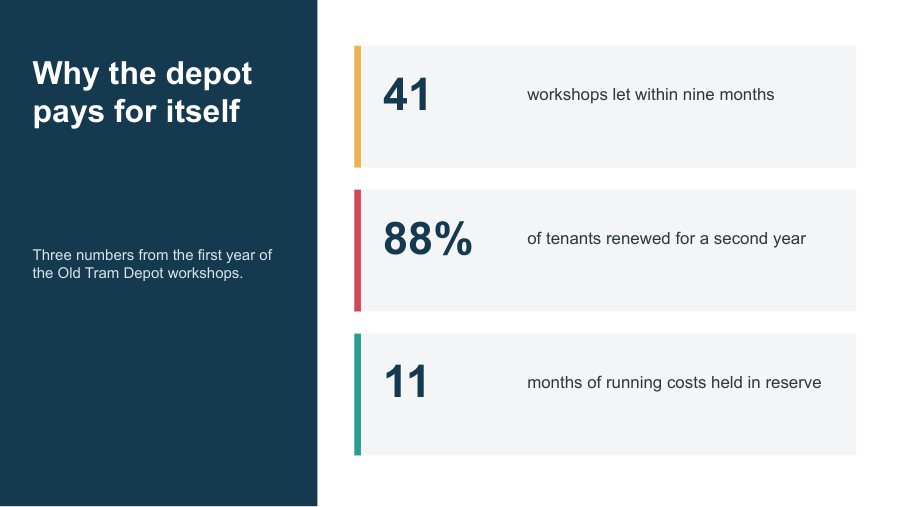
PowerPoint to InDesign

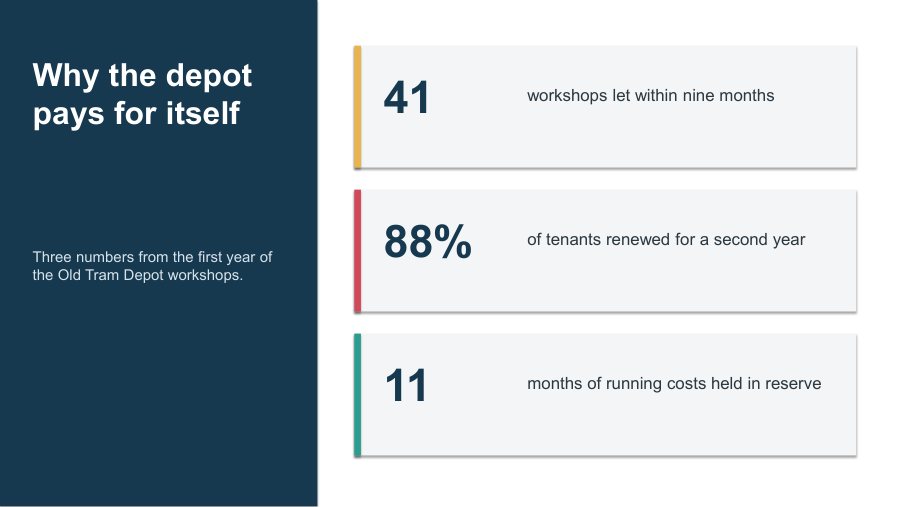
One slide per page: native frames and shapes, judged against PowerPoint's own render.

PowerPoint to InDesign: the source
Source
PowerPoint to InDesign: the output
Output, as rendered by InDesign 2026
Match to the source: 97.2 / 100 · 0 overset stories in InDesign · Would cost $3.00
Download the sourceDownload the output (0.04 MB)

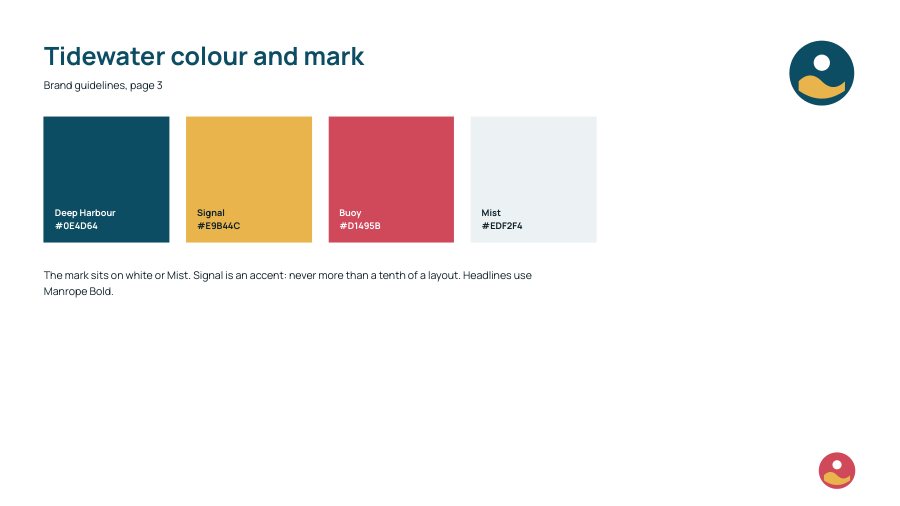
Brand PDF to asset pack

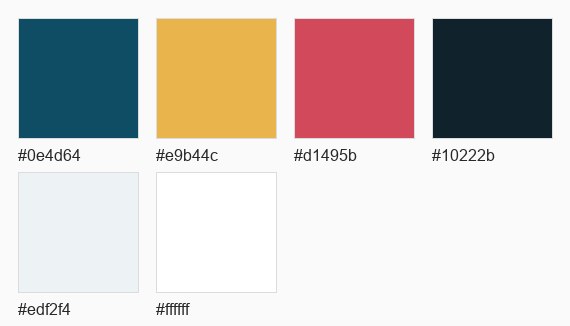
Exact colours as Adobe swatches and CSS, logos as SVG, free fonts included.

Brand PDF to asset pack: the source
Source
Brand PDF to asset pack: the output
Palette from the pack
Exact colours: #0e4d64, #e9b44c, #d1495b, #10222b, #edf2f4 · Would cost $3.00
Download the sourceDownload the output (0.28 MB)
How the score worksThe output is opened in the real app, exported, and compared with the source page. It measures looks, not how clean the structure is, so open the file yourself.
Where it falls shortOCR can misread and can't know the original font. It marks clearly heavier lines bold; other weights aren't detected. Commercial fonts aren't included, so they substitute until you install them. Very dense drawings stay as one picture in Word.
These are invented documentsEvery file here was made for this page, so nobody's work is published. Results on your file will differ: the free preview shows you before you pay.
// keep reading
SourceBack against Adobe on 20 filesLooks, text, tables and linked frames scored in real InDesign, with the files Adobe wins included.Read →Every way to get a PDF into InDesignAdobe's own converter, plug-ins and pay-per-page sites, with prices and when to use each one.Read →What it actually costsEvery tool, every price, and three worked examples — from a $3 single page to a $12 brochure.Read →
No AI guesswork.Your source is rebuilt from the file's own text and vectors — nothing is invented.
Honest about limits.Flat or scanned pages are recovered with OCR and clearly labelled: the words come back editable over the original picture, never passed off as the original text layer.
Private by design.Uploads and results auto-delete within 12h. Pay per file — no account needed.
// guides
PDF to InDesign · PowerPoint to InDesign · PDF to PowerPoint · PDF to Word · Image to Vector · Image to Font · Brand assets from PDF · Compress a PDF · PDF to SVG · PDF to DWG/DXF · InDesign to Word · InDesign to PowerPoint