sourceback

Twenty files. Adobe and SourceBack, side by side.

We ran 20 invented PDFs (29 pages) through Adobe's PDF to InDesign conversion service and through SourceBack, then opened both results in real InDesign 2026. Here is every result, including the ones we lose.

// the result

On looks, SourceBack is ahead on 13 files, the two are within a point on 4, and Adobe is ahead on 3. Adobe is ahead on all three scans: it keeps the scan as a picture, which looks exact but has no text you can edit.

DocumentAdobe lookSourceBack lookAdobe textSourceBack textAhead
Contract, 5 pages58.410097.5100SourceBack
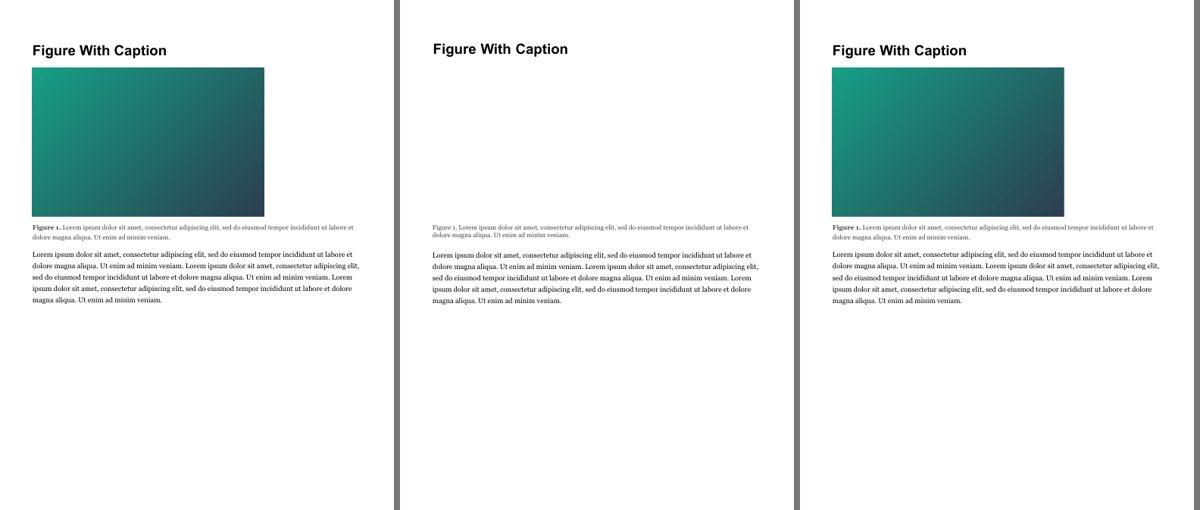
Figure with caption14.299.8100100SourceBack
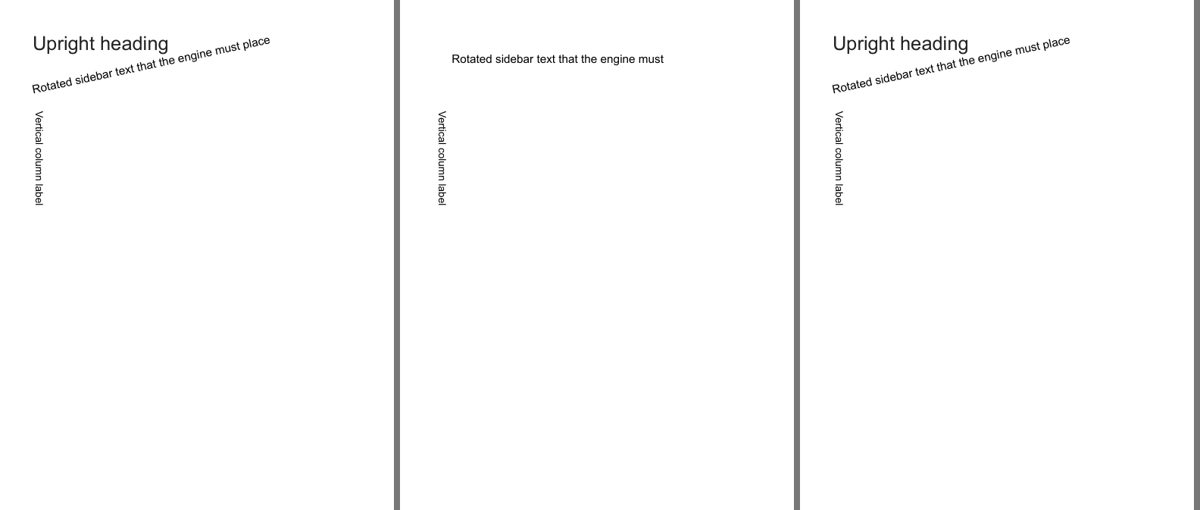
Rotated and vertical text45.210087100SourceBack
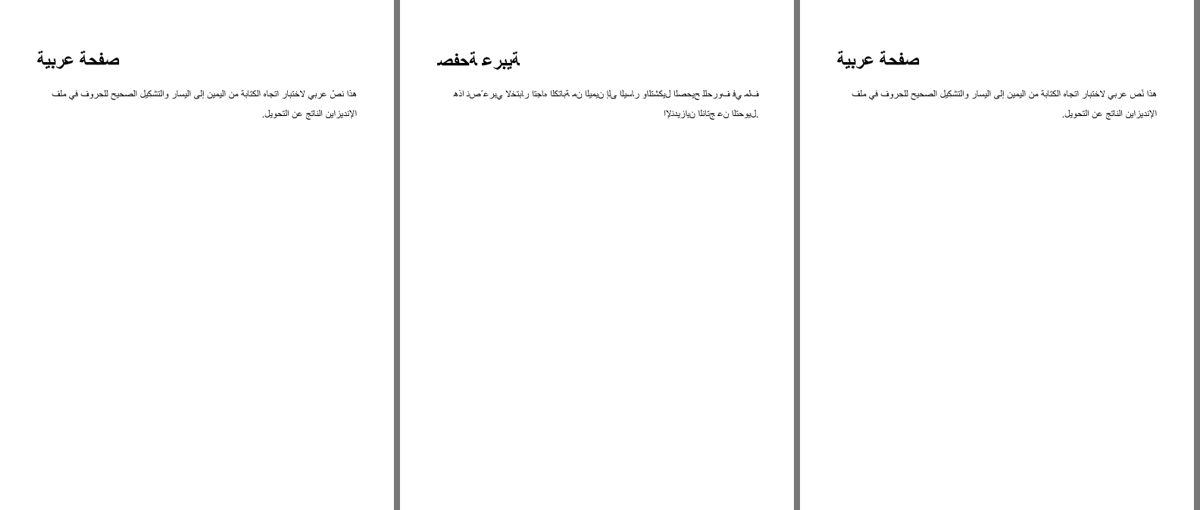
Arabic page76.299.90100SourceBack
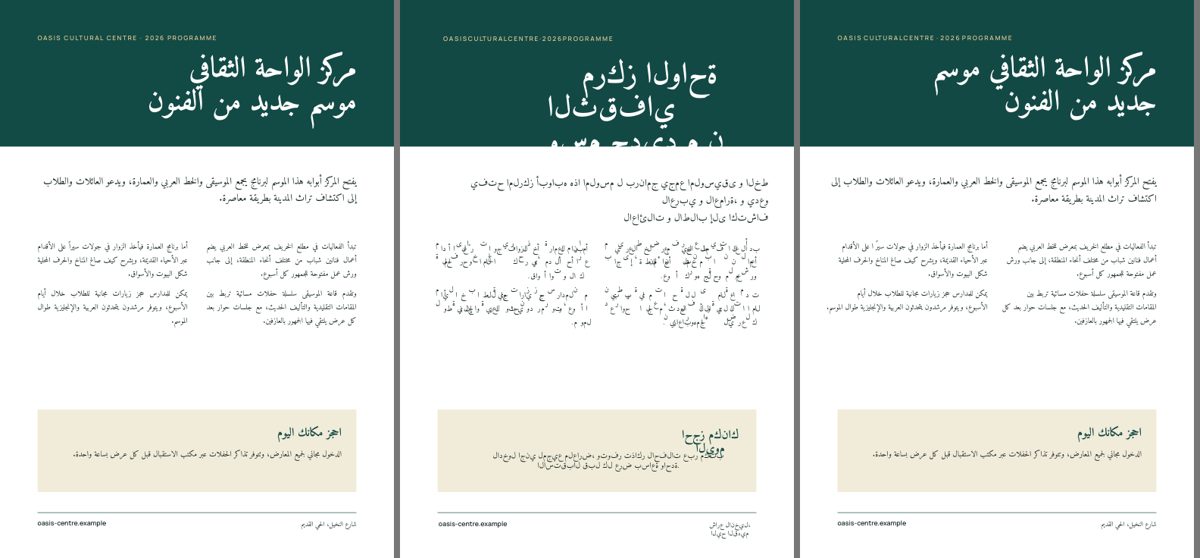
Arabic brochure96.498.714.499.1SourceBack
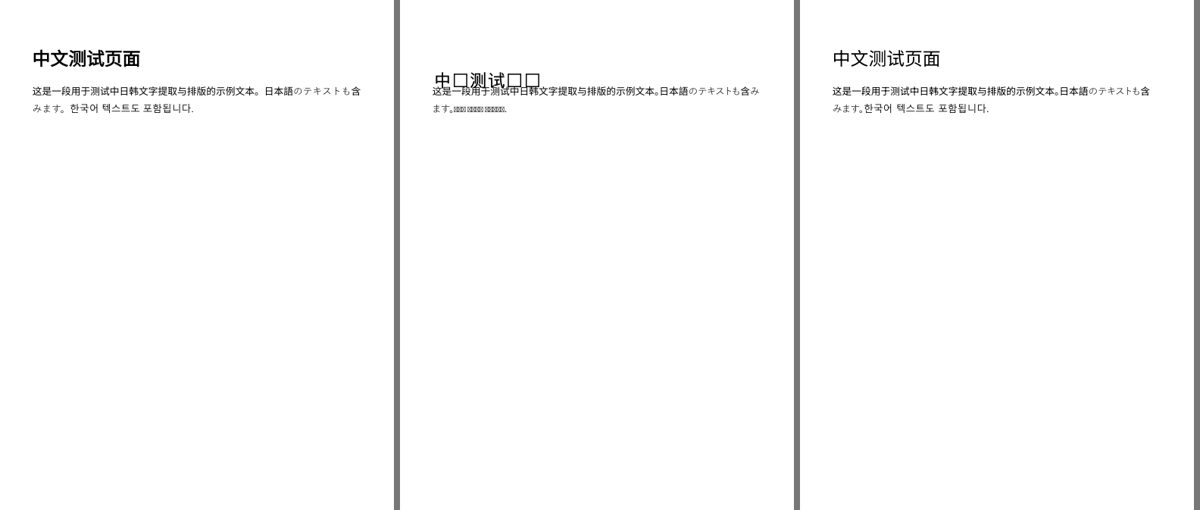
Chinese, Japanese, Korean6192.628.6100SourceBack
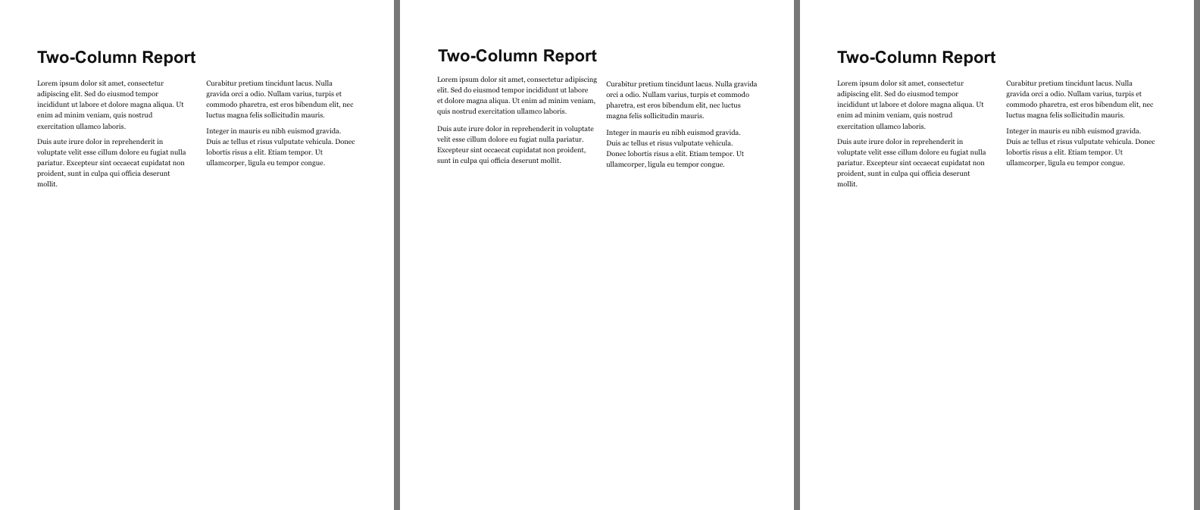
Two-column report69.3100100100SourceBack
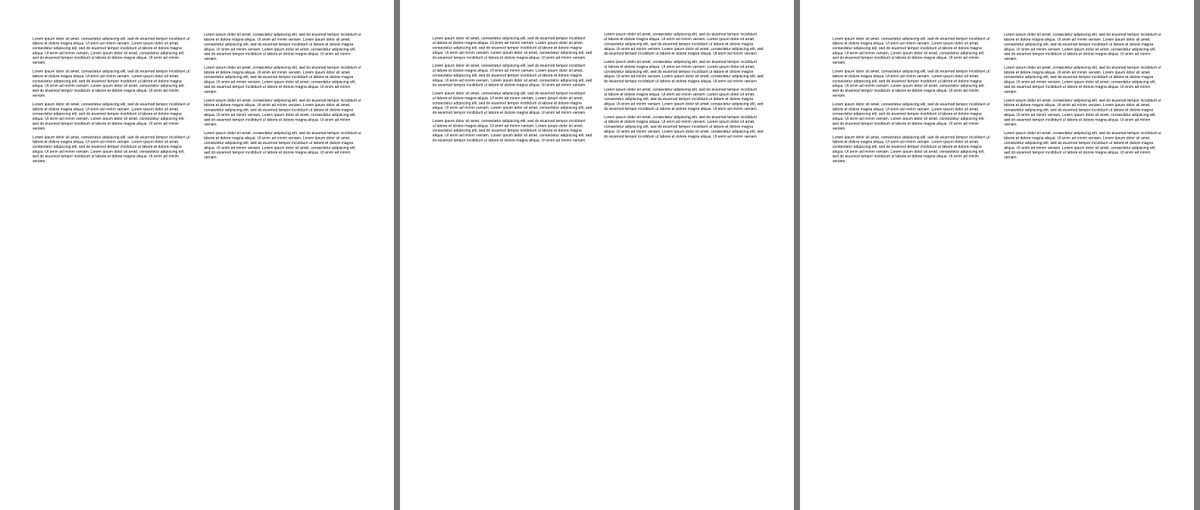
6 pt text, two columns68.3100100100SourceBack
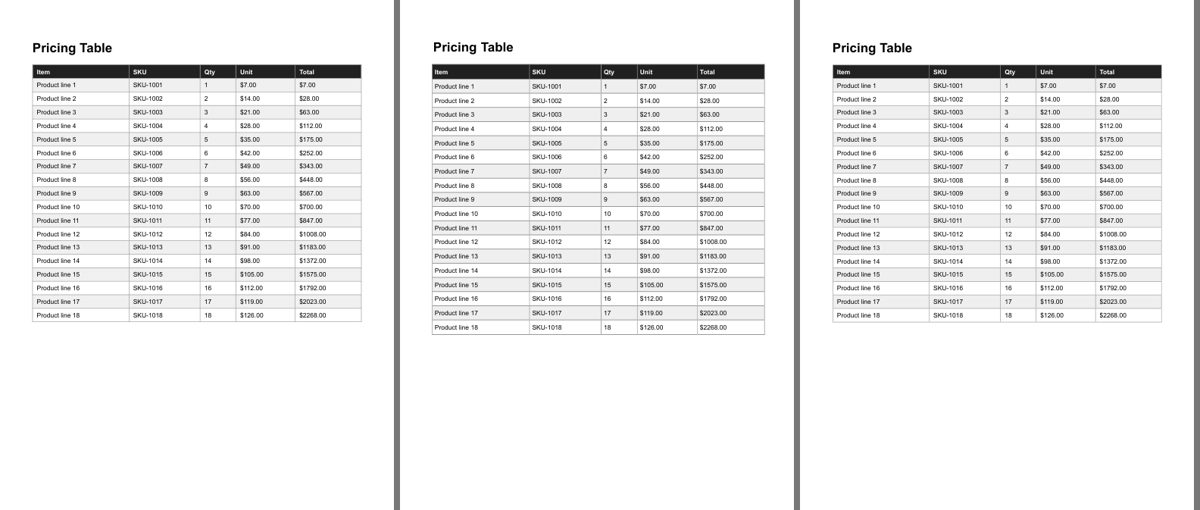
Pricing table84.598.7100100SourceBack
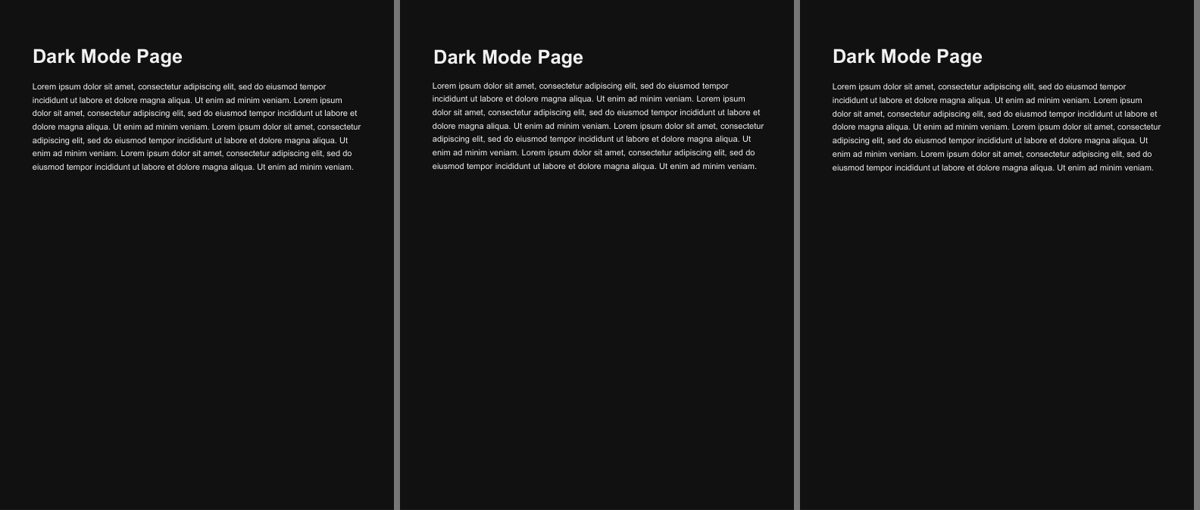
White text on dark86.897.5100100SourceBack
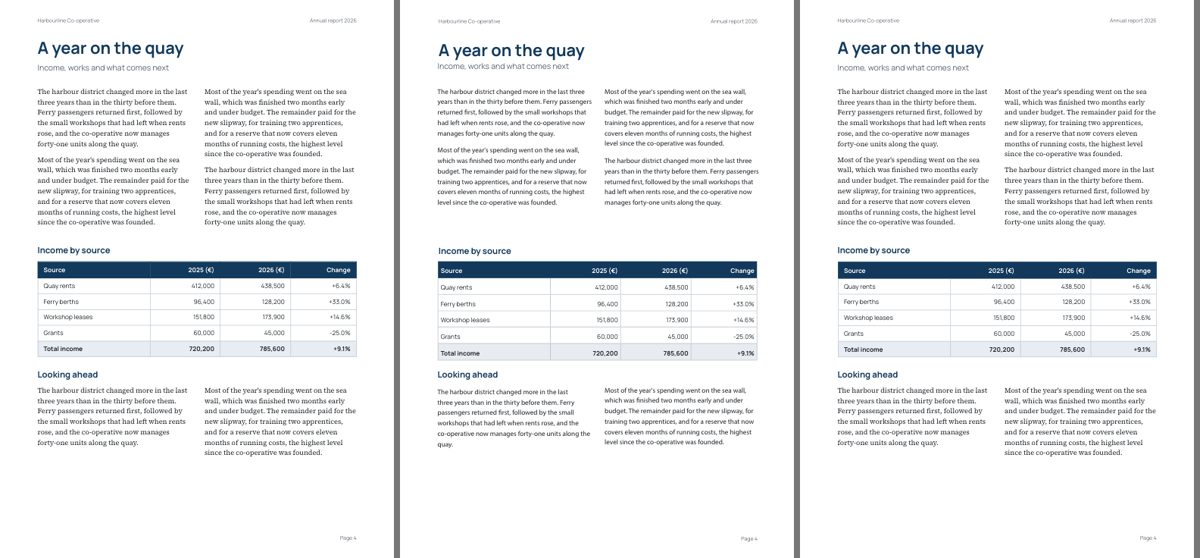
Annual report86.398.998.3100SourceBack
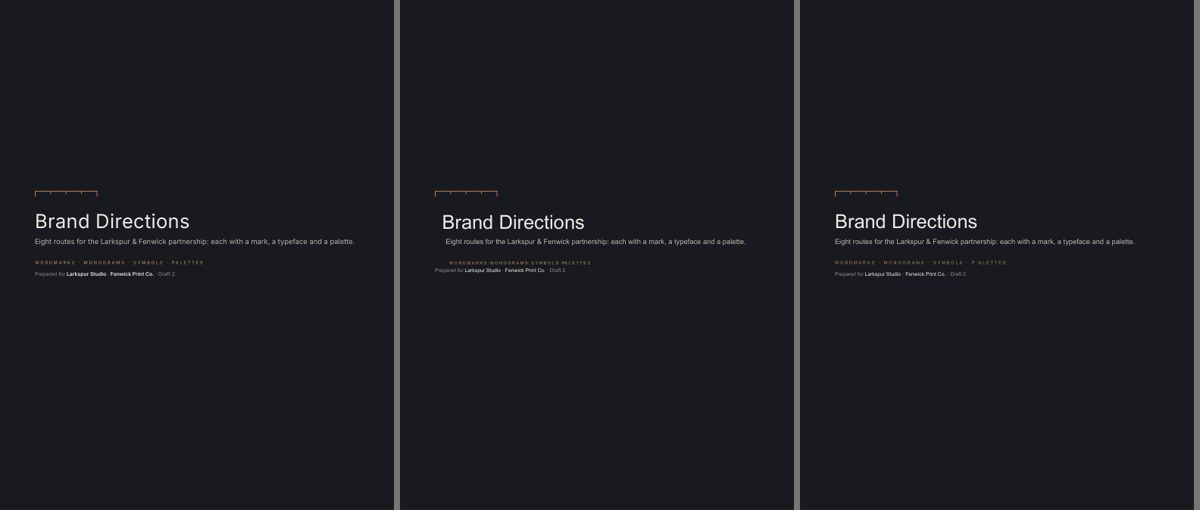
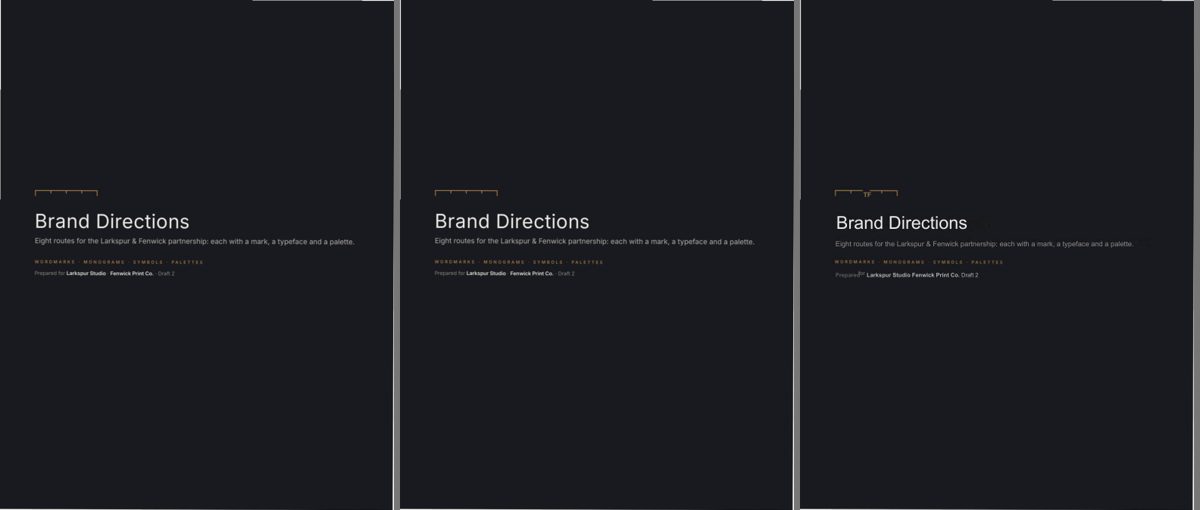
Designed deck, 3 pages84.191.286.6100SourceBack
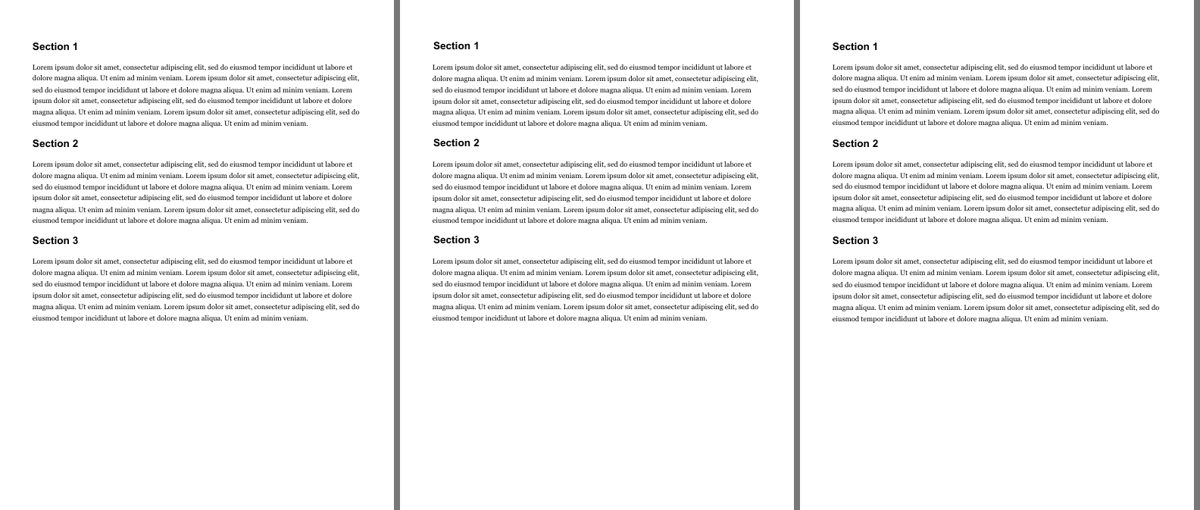
Text in Georgia95.995.5100100Even
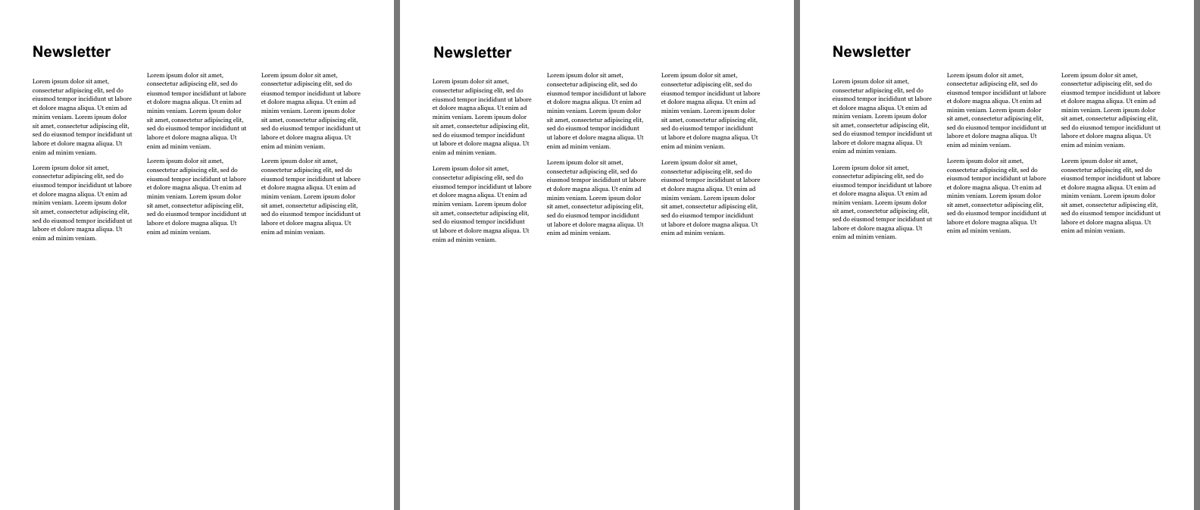
Three-column newsletter90.694.7100100SourceBack
Brand guide, 2 pages99.5100100100Even
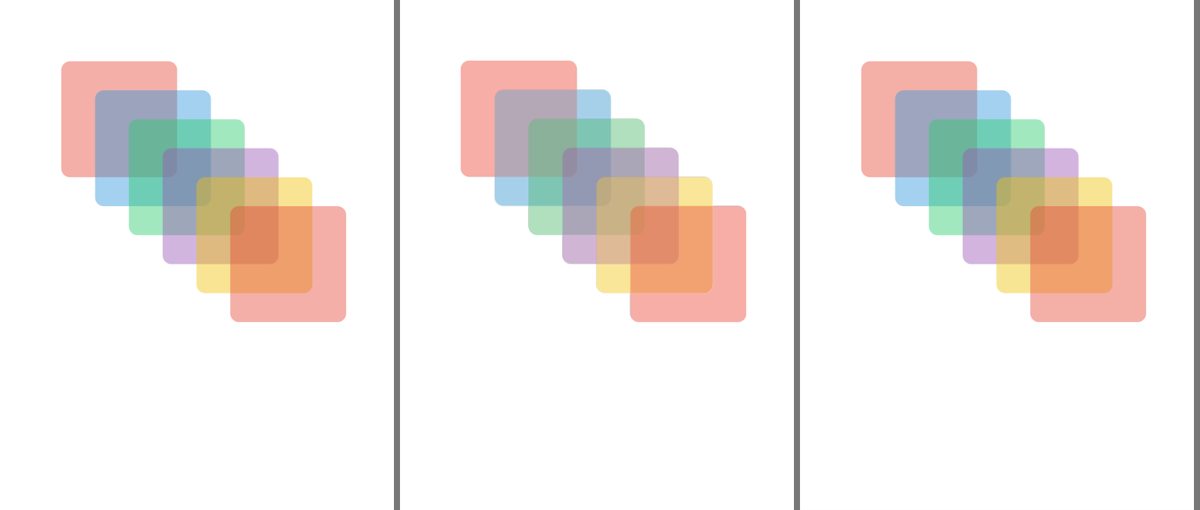
Transparent shapes99.4100no textno textEven
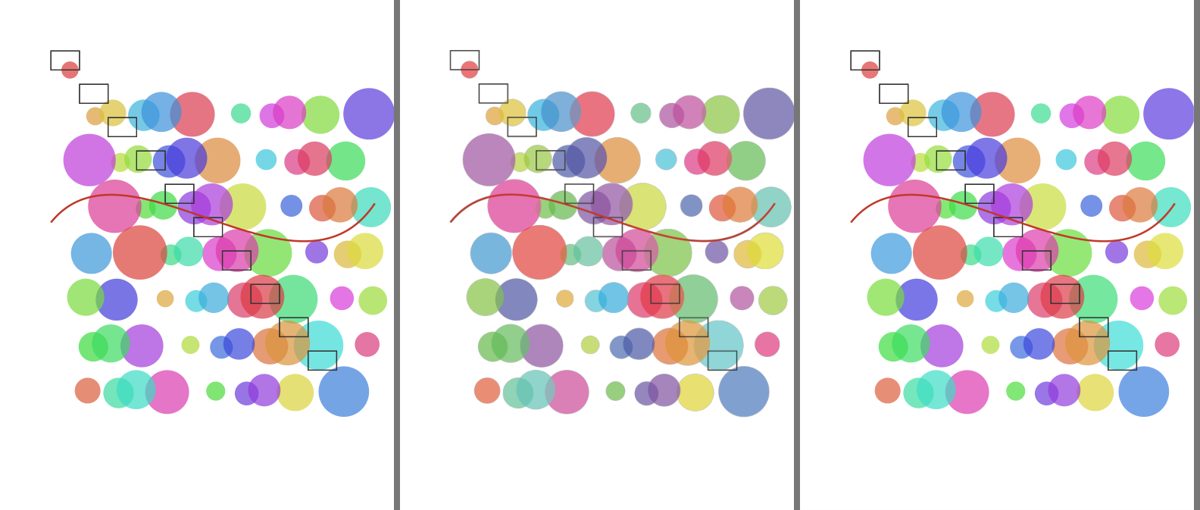
Vector drawing99.4100no textno textEven
Scanned cover10081no text to editeditable (OCR)Adobe
Scanned deck, 3 pages99.994.8no text to editeditable (OCR)Adobe
Scanned flyer96.575.6no text to editeditable (OCR)Adobe
Look is how closely the page InDesign exports matches the source, from 0 to 100: the same measure as our samples. Text compares the words in reading order with the source. Ahead means more than one point apart on look.
// inside the files
AdobeSourceBack
Real InDesign tables22
Linked text frames06
Files with named paragraph styles12 of 2020 of 20
Overset (hidden) text frames780
// the pages

Each sheet shows page 1: the source, then Adobe, then SourceBack.
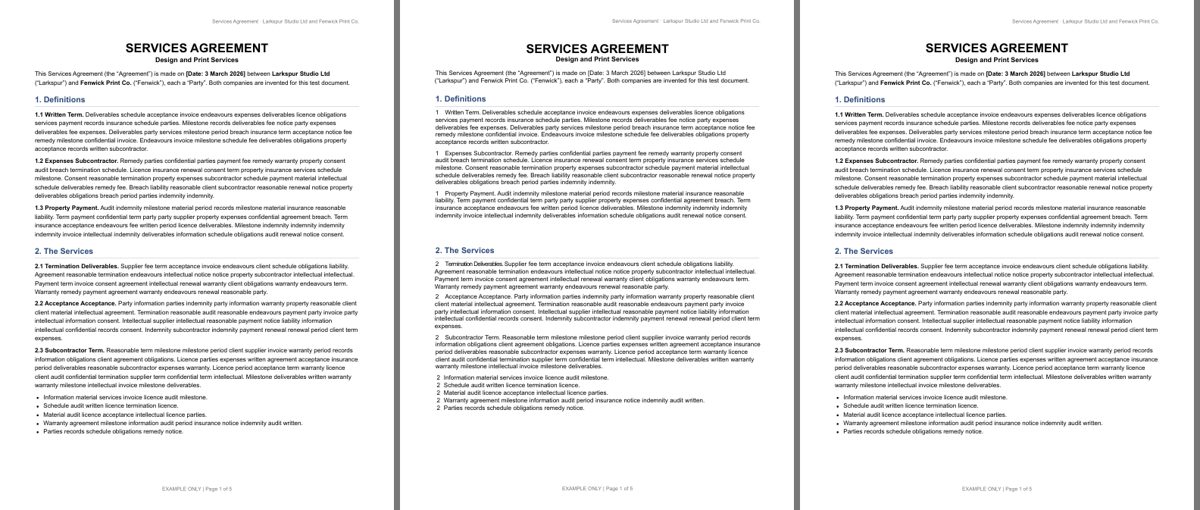
Contract, 5 pages: source, Adobe, SourceBack
Contract, 5 pages Adobe dropped the bold clause headings and numbered clauses 1, 2 instead of 1.1, 2.1.
Figure with caption: source, Adobe, SourceBack
Figure with caption Adobe's gradient figure opens as an empty box.
Rotated and vertical text: source, Adobe, SourceBack
Rotated and vertical text Adobe lost the heading and set the rotated line flat.
Arabic page: source, Adobe, SourceBack
Arabic page Adobe's Arabic is reversed and unjoined.
Arabic brochure: source, Adobe, SourceBack
Arabic brochure Adobe's Arabic is reversed; 77 of its text frames are overset (hidden).
Chinese, Japanese, Korean: source, Adobe, SourceBack
Chinese, Japanese, Korean Adobe's heading shows empty boxes. Fonts on our test PC may play a part.
Two-column report: source, Adobe, SourceBack
Two-column report Adobe set the columns wider, so its lines break differently. SourceBack keeps every break and links the two columns.
6 pt text, two columns: source, Adobe, SourceBack
6 pt text, two columns Adobe moved and resized the text.
Pricing table: source, Adobe, SourceBack
Pricing table Both build one real InDesign table. Adobe's rows are taller, so its table runs lower than the PDF's.
White text on dark: source, Adobe, SourceBack
White text on dark Both keep the text and its line breaks; Adobe's lines sit slightly off position.
Annual report: source, Adobe, SourceBack
Annual report Both build the real table; SourceBack also links its two text columns. Adobe's file doesn't include its Source Serif 4 font, so InDesign shows a substitute unless it's installed.
Designed deck, 3 pages: source, Adobe, SourceBack
Designed deck, 3 pages Adobe moved the cover lines and lost the dots between the small capitals. SourceBack splits one spaced-out word on the cover ("P ALETTES").
Text in Georgia: source, Adobe, SourceBack
Text in Georgia Both keep every line break.
Three-column newsletter: source, Adobe, SourceBack
Three-column newsletter SourceBack links the three columns and keeps every line break. Adobe moved the text slightly.
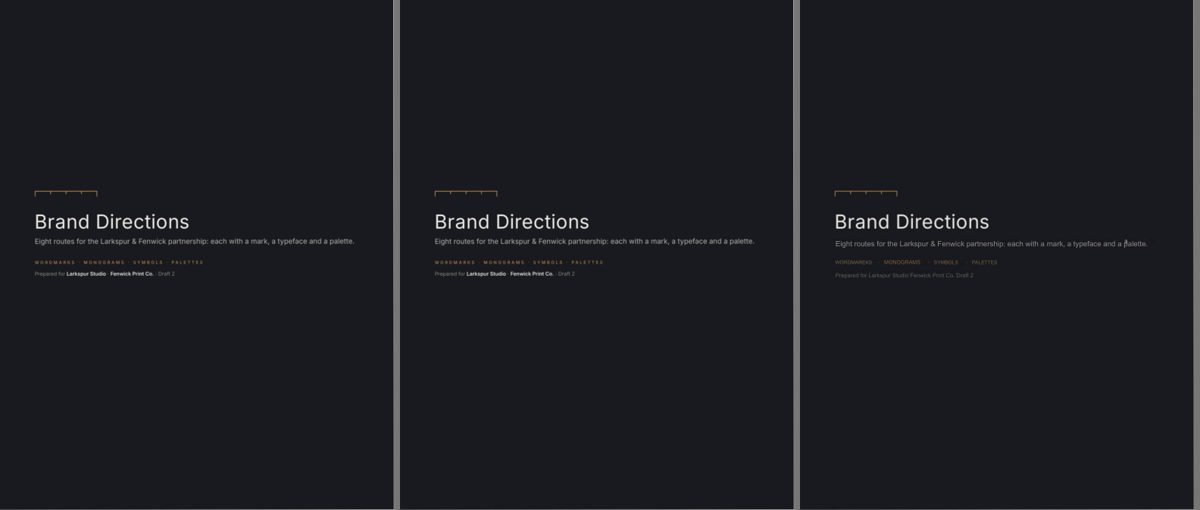
Brand guide, 2 pages: source, Adobe, SourceBack
Brand guide, 2 pages Both match.
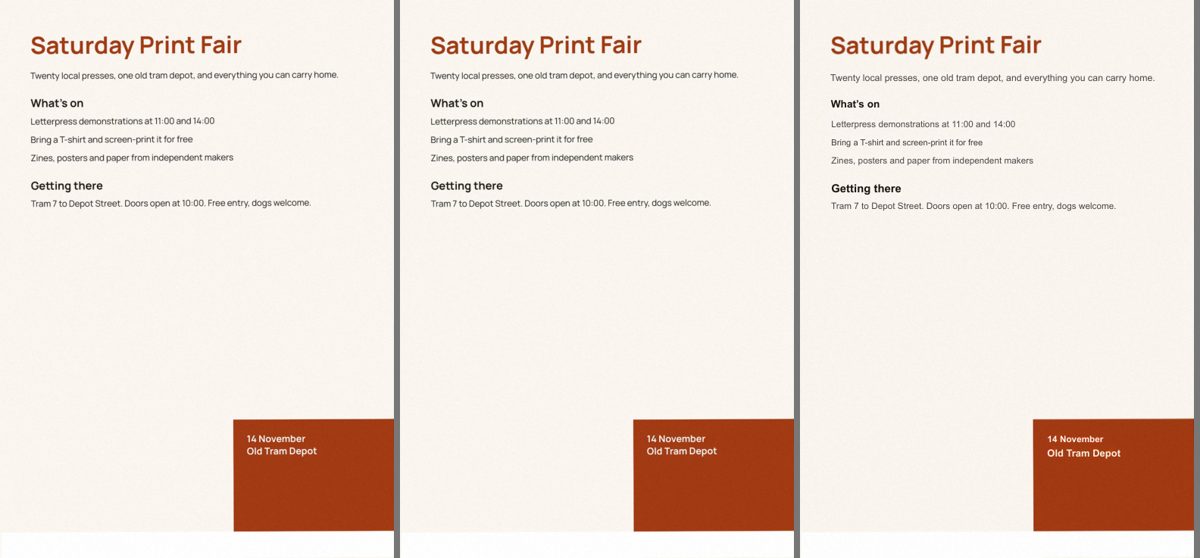
Transparent shapes: source, Adobe, SourceBack
Transparent shapes Both match.
Vector drawing: source, Adobe, SourceBack
Vector drawing Both match.
Scanned cover: source, Adobe, SourceBack
Scanned cover Adobe keeps the scan as one picture: it looks exact but has no text to edit. SourceBack's text is editable but its type doesn't match the scan.
Scanned deck, 3 pages: source, Adobe, SourceBack
Scanned deck, 3 pages As above: Adobe a picture with no text, SourceBack editable text that looks less like the scan.
Scanned flyer: source, Adobe, SourceBack
Scanned flyer As above: Adobe a picture with no text, SourceBack editable text that looks less like the scan.
How this was run: 16 November 2026. All 20 files were made for this test, so nobody's work is in them. Adobe was reached through its conversion service; we could not test File > Open PDF inside InDesign, which may behave differently. Fonts on our test PC can affect both sides. 20 invented files can show where each tool is strong, not settle which is better on every file. We haven't yet run LegUpTools, pdf-indesign.com or the desktop plug-ins.
Where Adobe is the better choiceScans you only need to look right. On plain text pages the two are level, so if you already pay for InDesign, try it first.
Where SourceBack is the better choiceArabic and other right-to-left text, editable text from scans, rotated text, and documents with tables, columns and small type.
Check your own fileThe free preview shows the result on your PDF before you pay.
// also worth reading
Every way to get a PDF into InDesignAdobe's own converter, plug-ins and pay-per-page sites, with prices and when to use each one.Read →Download what the tools really produceArabic, scans, a report, a table, a deck, a brand PDF and a logo. Source and output files, scored in the real apps.Read →PDF to InDesignUpload the PDF and see the fidelity score before spending anything.Read →
No AI guesswork.Your source is rebuilt from the file's own text and vectors — nothing is invented.
Honest about limits.Flat or scanned pages are recovered with OCR and clearly labelled: the words come back editable over the original picture, never passed off as the original text layer.
Private by design.Uploads and results auto-delete within 12h. Pay per file — no account needed.
// guides
PDF to InDesign · PowerPoint to InDesign · PDF to PowerPoint · PDF to Word · Image to Vector · Image to Font · Brand assets from PDF · Compress a PDF · PDF to SVG · PDF to DWG/DXF · InDesign to Word · InDesign to PowerPoint